Create an Account
To start using Portal features, users must register and log in with a personal account.
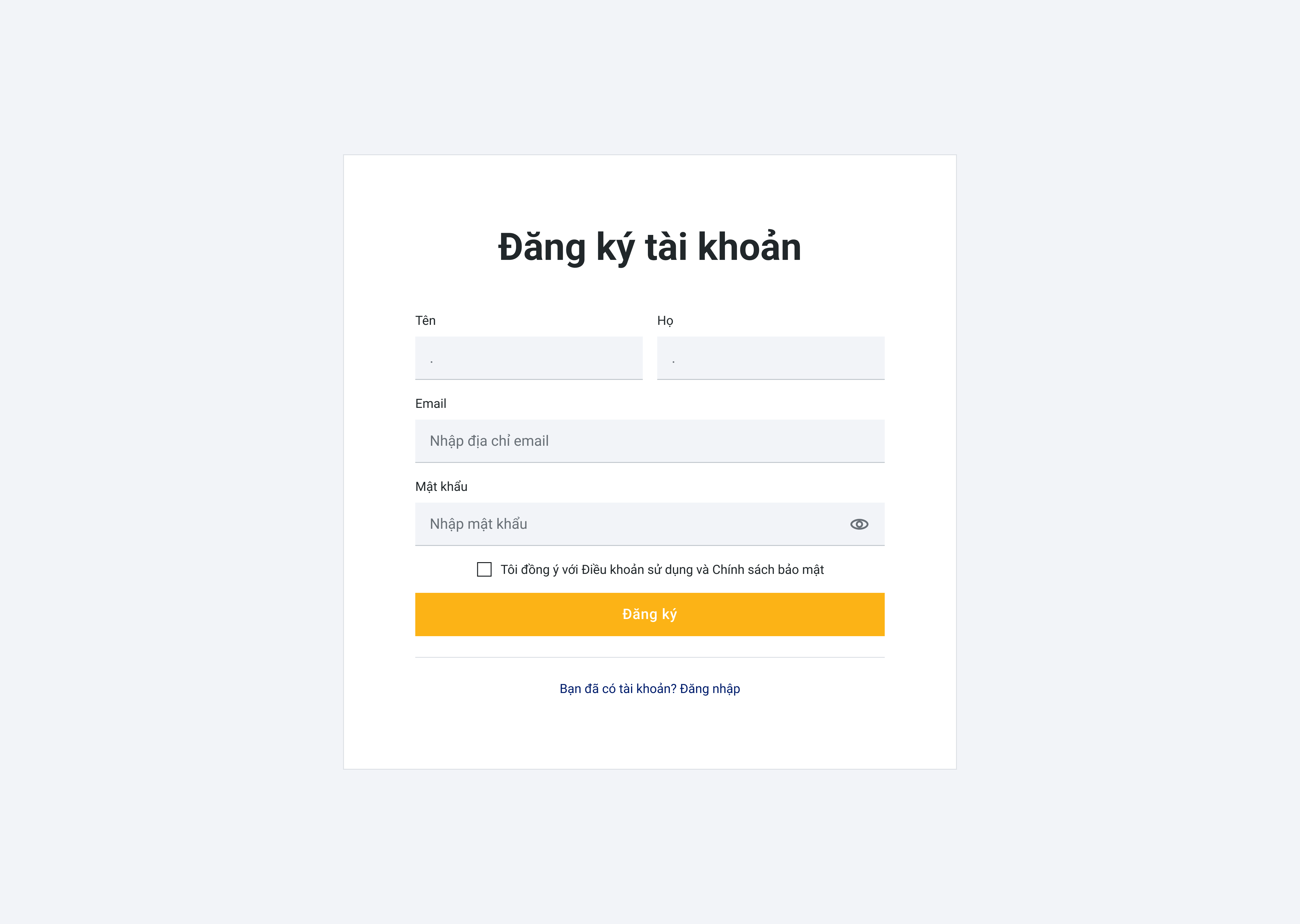
1. Register a New Account
If you do not have an account, follow the steps below:
Step 1
Access the Portal at:
https://xensear.vn/portal
Step 2
Click Register
Step 3
Enter the required information:
- Full Name
- Password
Step 4
Check the agreement box:
“I agree to the Terms of Service and Privacy Policy”
Step 5
Click Register to complete the account creation process.
Step 6
After successful registration, log in using your registered email and password.
2. Log In
If you already have an account, follow these steps:
Step 1
Access the Portal at:
https://xensear.vn/portal
Step 2
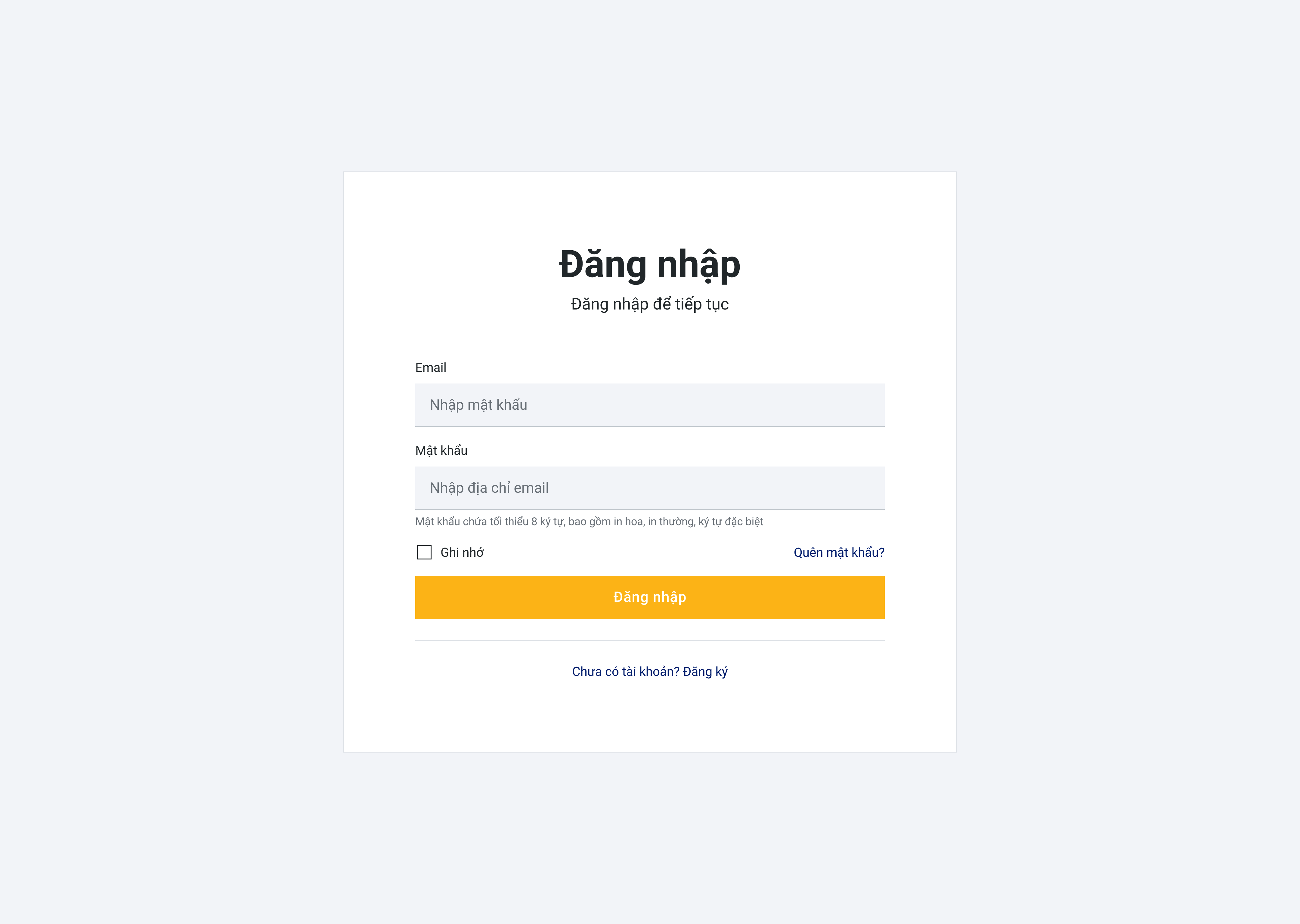
Click Login
Step 3
Enter your credentials:
- Password
Step 4
Click Login to access the system.
ℹ️ Info
If you forget your password, select Forgot Password to reset it via your registered email.
Last updated on