Guide to Adding Content Image
-
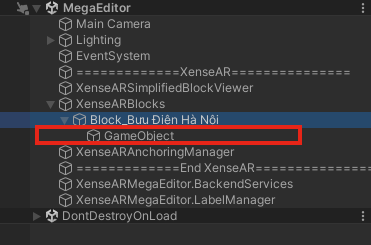
Create an Empty Object as a child of the root block.
-
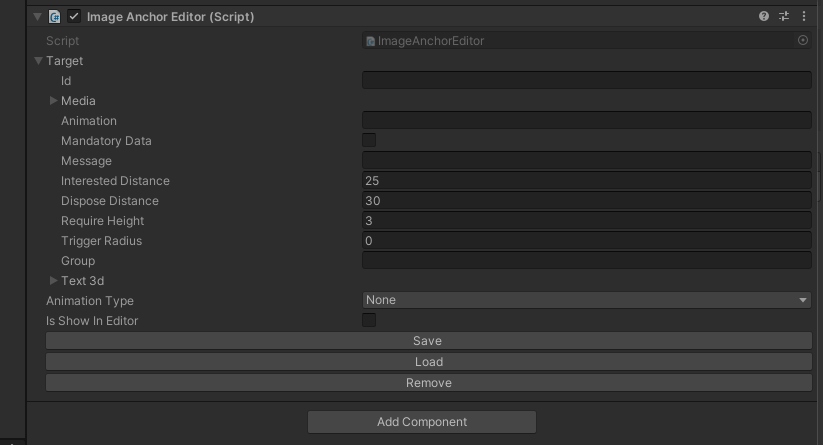
Add the Image Anchor Editor component to this object.
-
Enter the URL.
-
Add the Group field.
-
Select the Animation Type.
-
Click Save and wait for the content to load. You can then modify and update its position, scale, and rotation.
Last updated on