Navigation Mesh (NavMesh) is data that defines the areas within a Spatial Map that the system can use for routing/navigation functions.
Procedure
Step 1
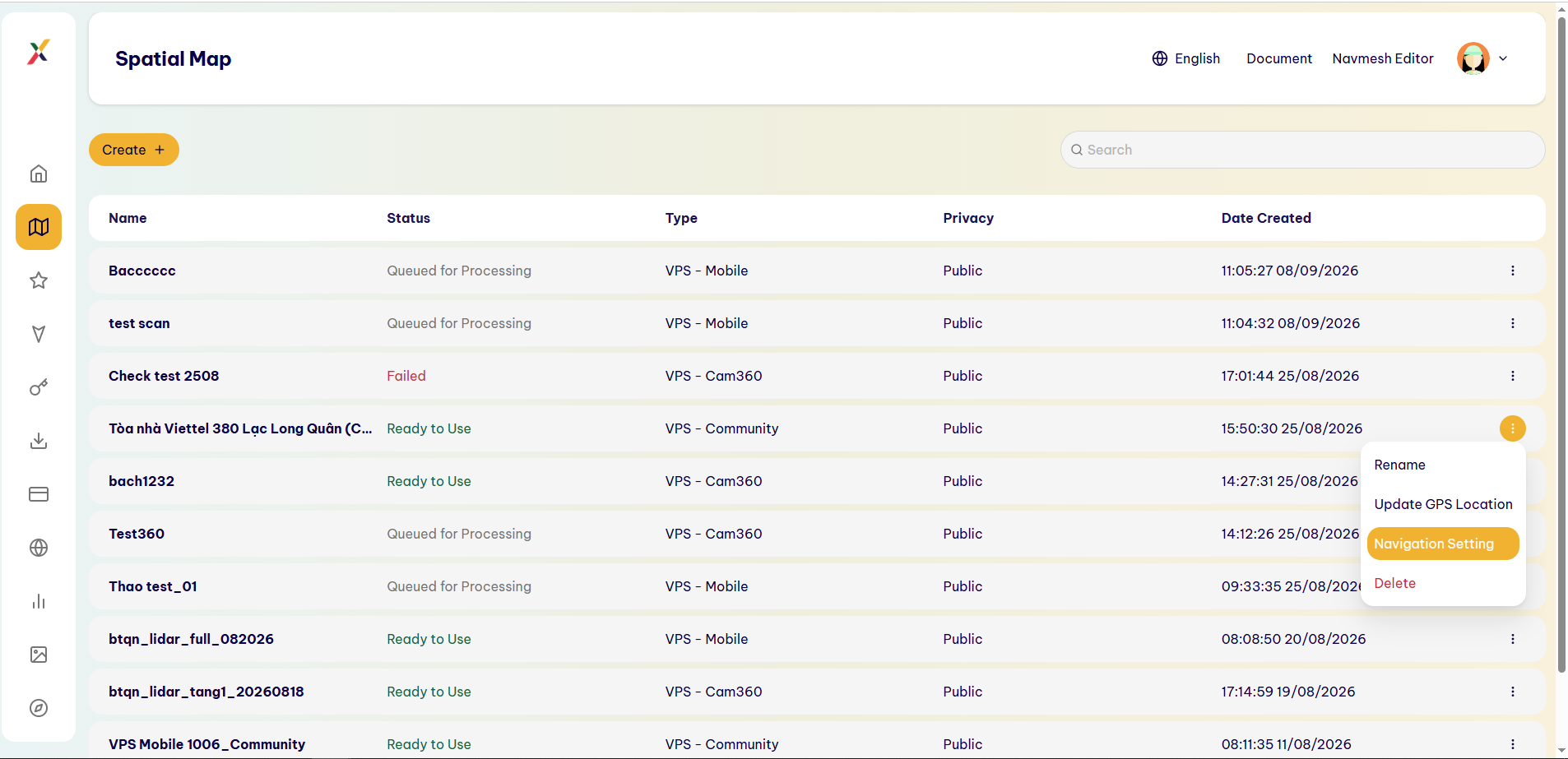
In the Spatial Map that you want to configure, select ⋮ → Navigation Setting.
Step 2
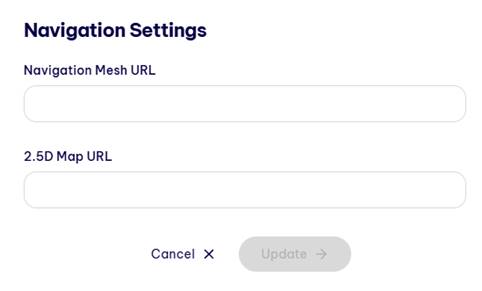
The system opens the Navigation Settings window.
Step 3
In the Navigation Mesh URL field, enter the URL of the NavMesh file/data.
Step 4
Select Update to save the configuration.
Alternatively, select Cancel to discard the changes.
Result
The NavMesh is linked to the Spatial Map and can be used by the corresponding Navigation functions.
Last updated on