The Delete function allows you to remove a Spatial Map from the system.
This is a permanent deletion and cannot be undone.
Procedure
Step 1
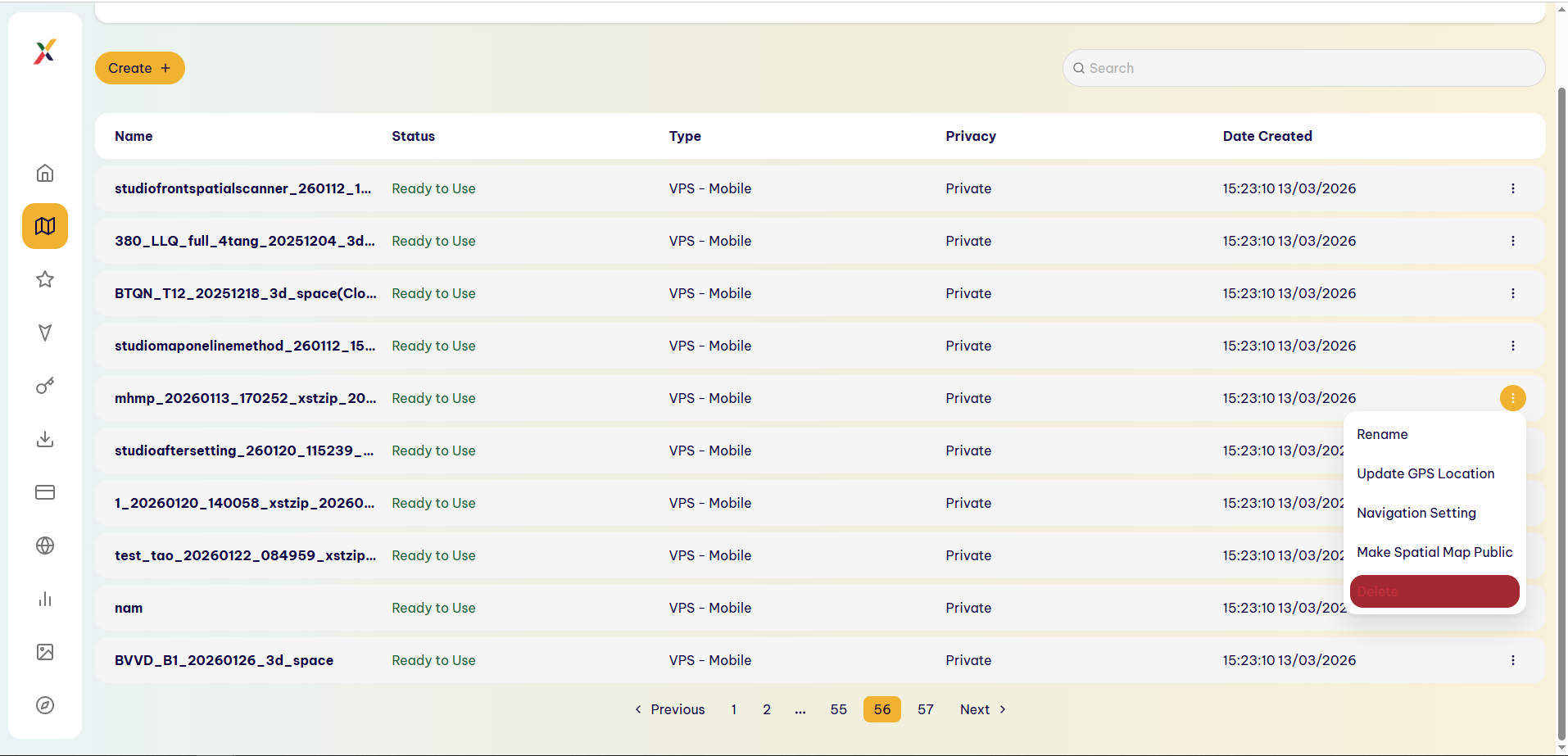
In the Spatial Map list, find the map you want to delete.
Step 2
Select ⋮ → Delete.
Step 3
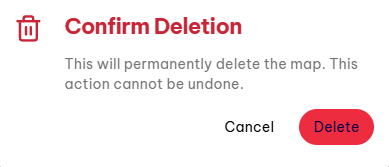
The system displays the Confirm Deletion dialog with the following warning:
“This will permanently delete the map. This action cannot be undone.”
Step 4
Choose one of the following options:
- Cancel: Cancel the operation and keep the Spatial Map.
- Delete: Confirm the deletion of the Spatial Map.
Step 5
Select Delete to continue.
Result
The Spatial Map is permanently removed from the system and no longer appears in the list.
Last updated on