The Update GPS Location function allows you to set or update the geographic location associated with a Spatial Map.
Procedure
Step 1
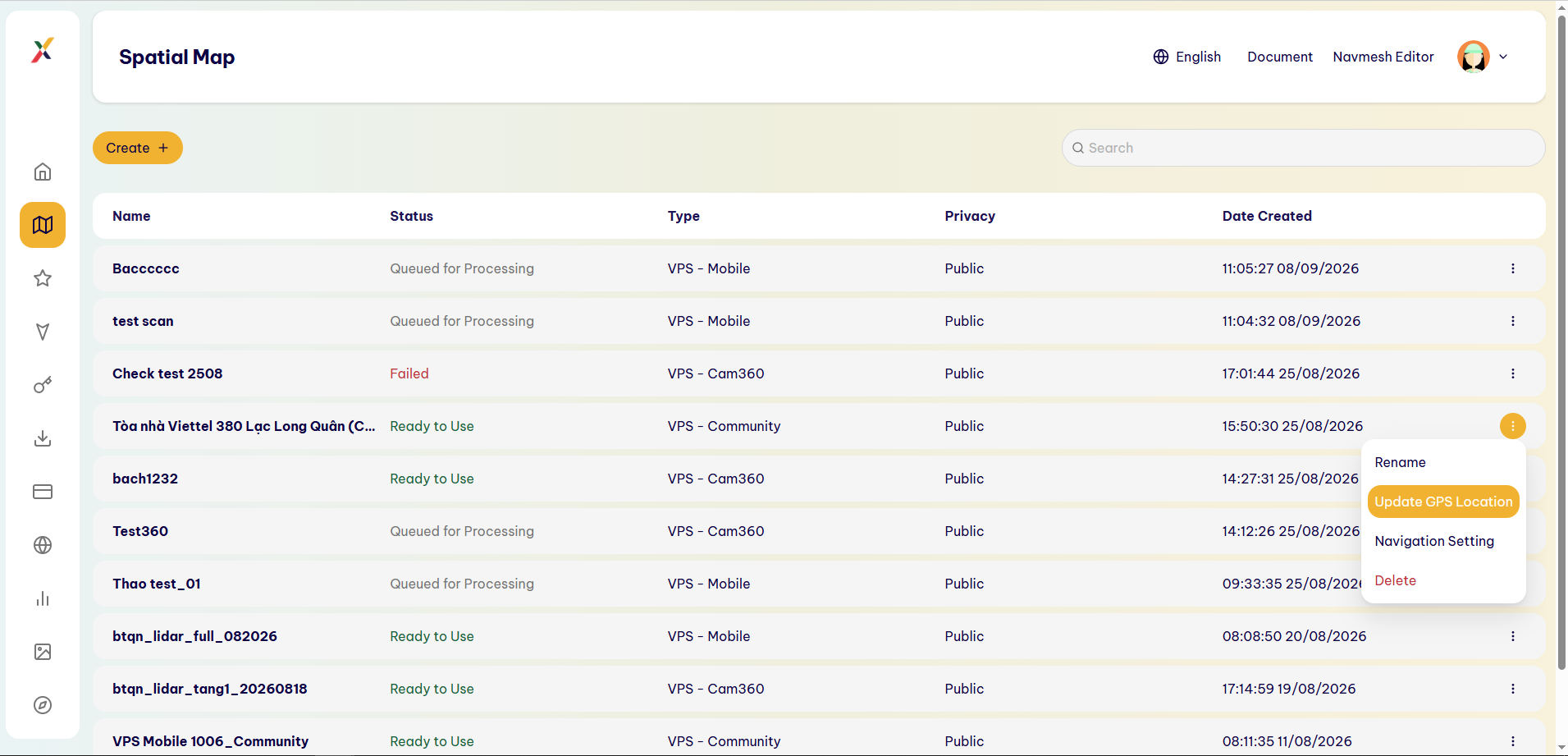
For the Spatial Map whose GPS location you want to update, select ⋮ → Update GPS Location.
Step 2
The system opens the Update GPS Location screen.
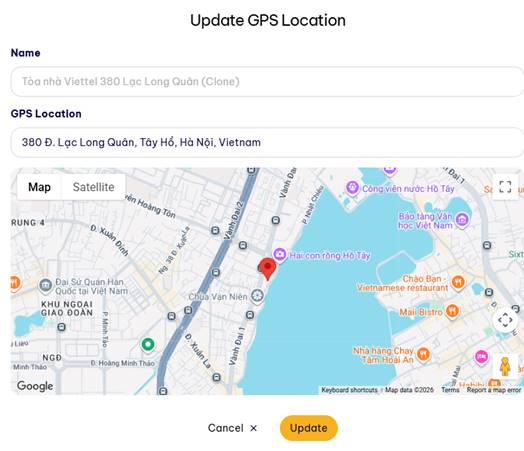
The screen includes:
- Name: The name of the Spatial Map.
- GPS Location: The GPS address/location.
- Map: A map for visually identifying the location.
Step 3
In the GPS Location field, enter the required address.
Step 4
Check the location on the map.
Users can determine the exact location using the marker displayed on the map.
Step 5
Select Update to save the new GPS location.
Alternatively, select Cancel to cancel the operation.
Result
The Spatial Map is updated with the corresponding geographic location information.
Last updated on