IMAGE TRACKING OVERVIEW
Image Tracking is a feature of the Xense AR platform that allows users to create AR (Augmented Reality) experiences by attaching digital content (such as 3D models) to a real-world image (Image Target).
When users point their mobile phone camera at the configured image, the 3D content is displayed overlaid on the image directly in the device’s mobile web browser, without requiring an additional application installation.
Each experience is called an Experience, which includes:
- Basic information: Name, description, and thumbnail image.
- An Image Target: The image used as the recognition/tracking target.
- One or more 3D models attached to the Image Target, with customizable position, rotation, and scale.
- A sharing link / QR Code that allows end users to access and experience AR on their mobile devices.
Access this feature from the left-side menu in the Editor: Image Tracking.
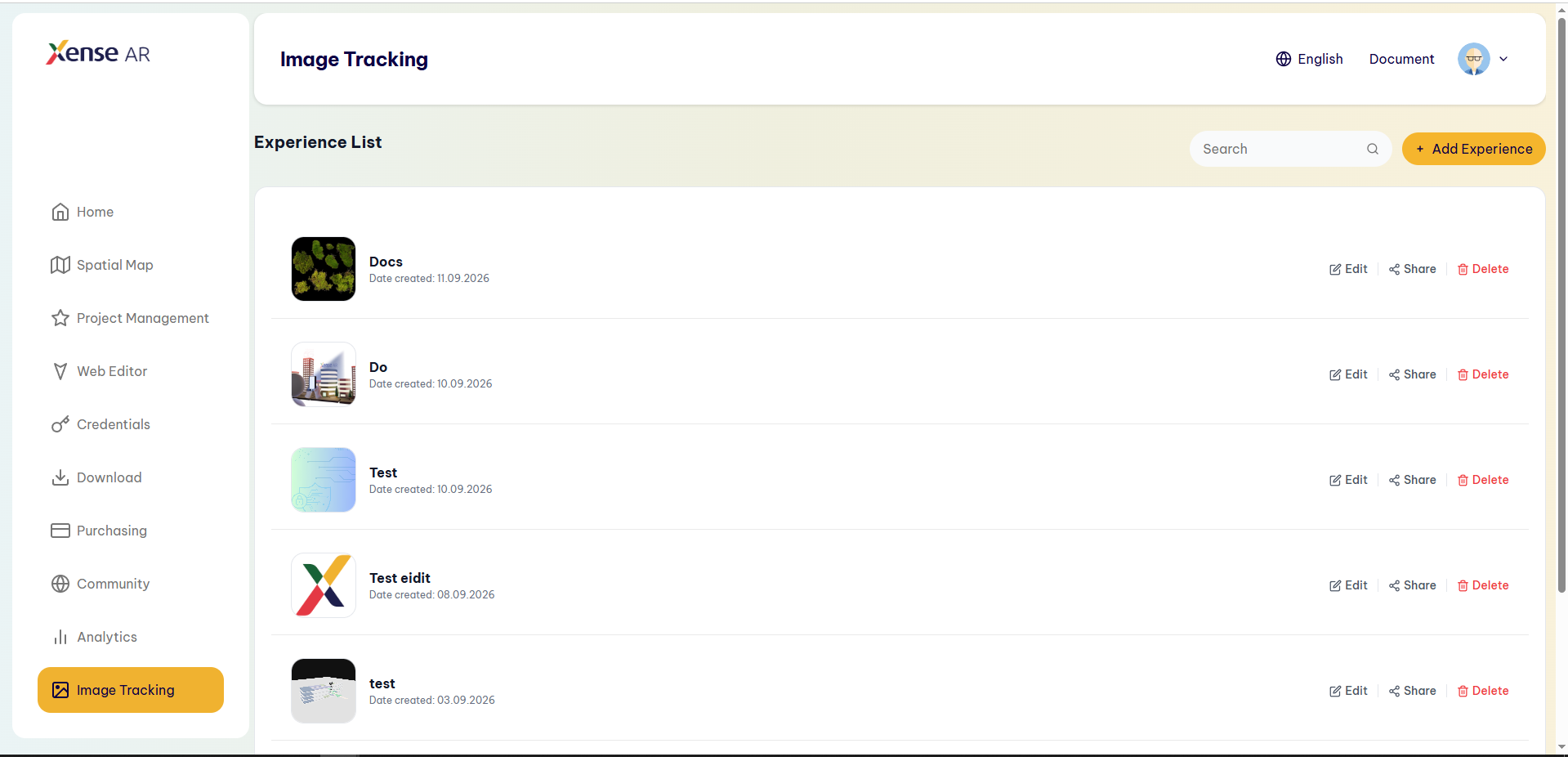
On the Experience List screen, users can:
- View the list of created Experiences (name, creation date, and thumbnail image).
- Use Search to quickly find an Experience by name.
- Edit / Share / Delete individual Experiences.
- Click + Add Experience to create a new Experience.
Last updated on