Guide to Cloning a Map from Community
This guide provides detailed instructions for searching, cloning, and reusing 3D spatial data from Community in your personal account on the Xense AR platform.
I. OVERVIEW
1. What is a Community Map?
A Community Map is a collection of spatial data standardized by the Xense AR team or publicly contributed by the user community.
2. Requirements
Before cloning a map, users need to prepare the following:
- Xense Portal Account: A registered and activated account.
- Access Permission: An active account that is logged in to the system at portal.xensear.vn .
- Operating Environment: A web browser on a computer. Chrome, Edge, or Safari in the latest version is recommended.
II. GUIDE TO CLONING A MAP FROM COMMUNITY
The process of cloning a map to a personal account consists of 4 basic steps:
- Access Community
- Search for and preview a Map
- Perform Clone
- Check the library
Step 1: Access Community on Xense Portal
- Log in to the Xense Creator Portal using your personal account.
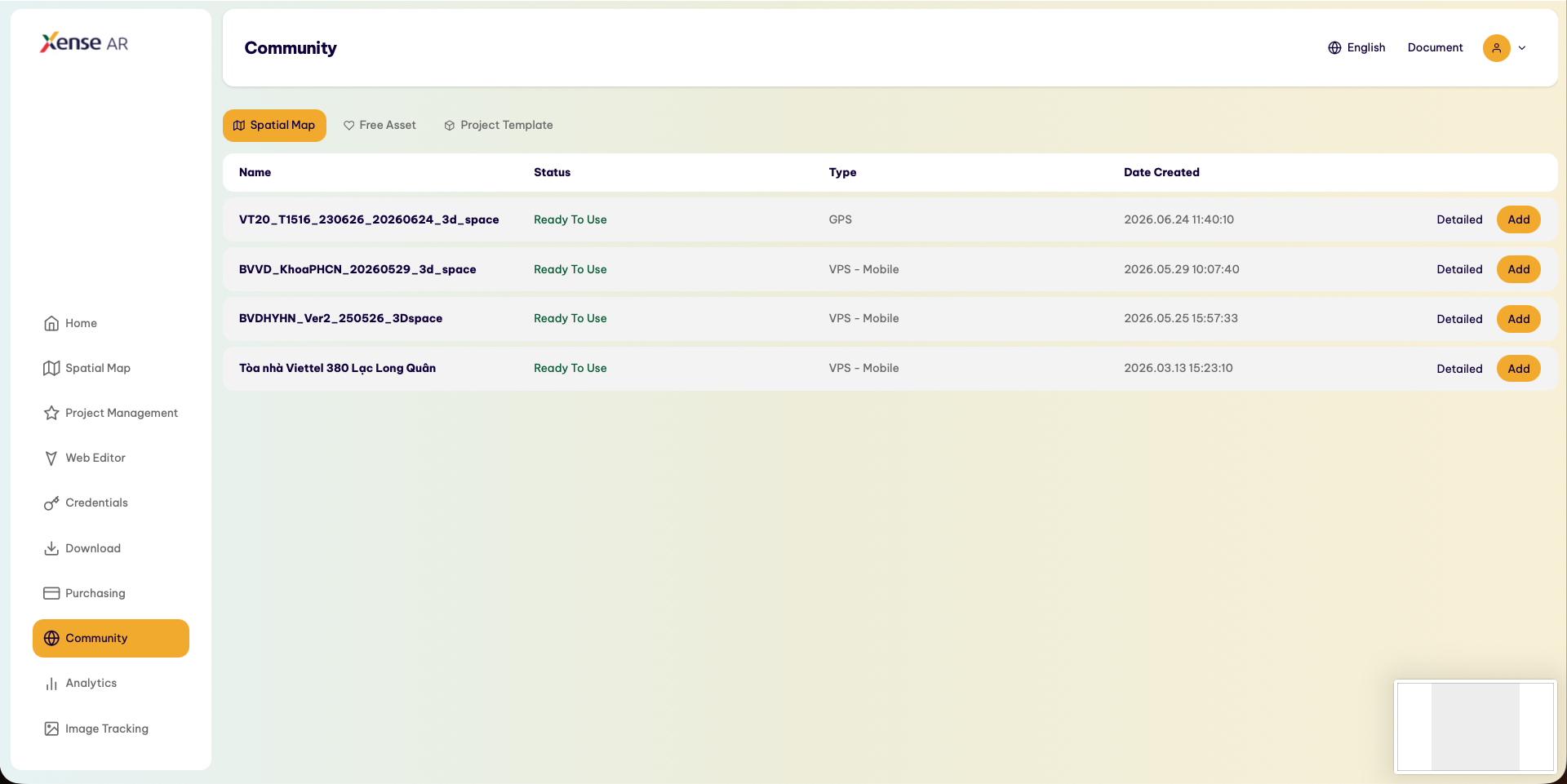
- On the left navigation bar, select Community.
- The Community page displays a list of spatial maps and free resources that are publicly shared.
Step 2: Preview the Map
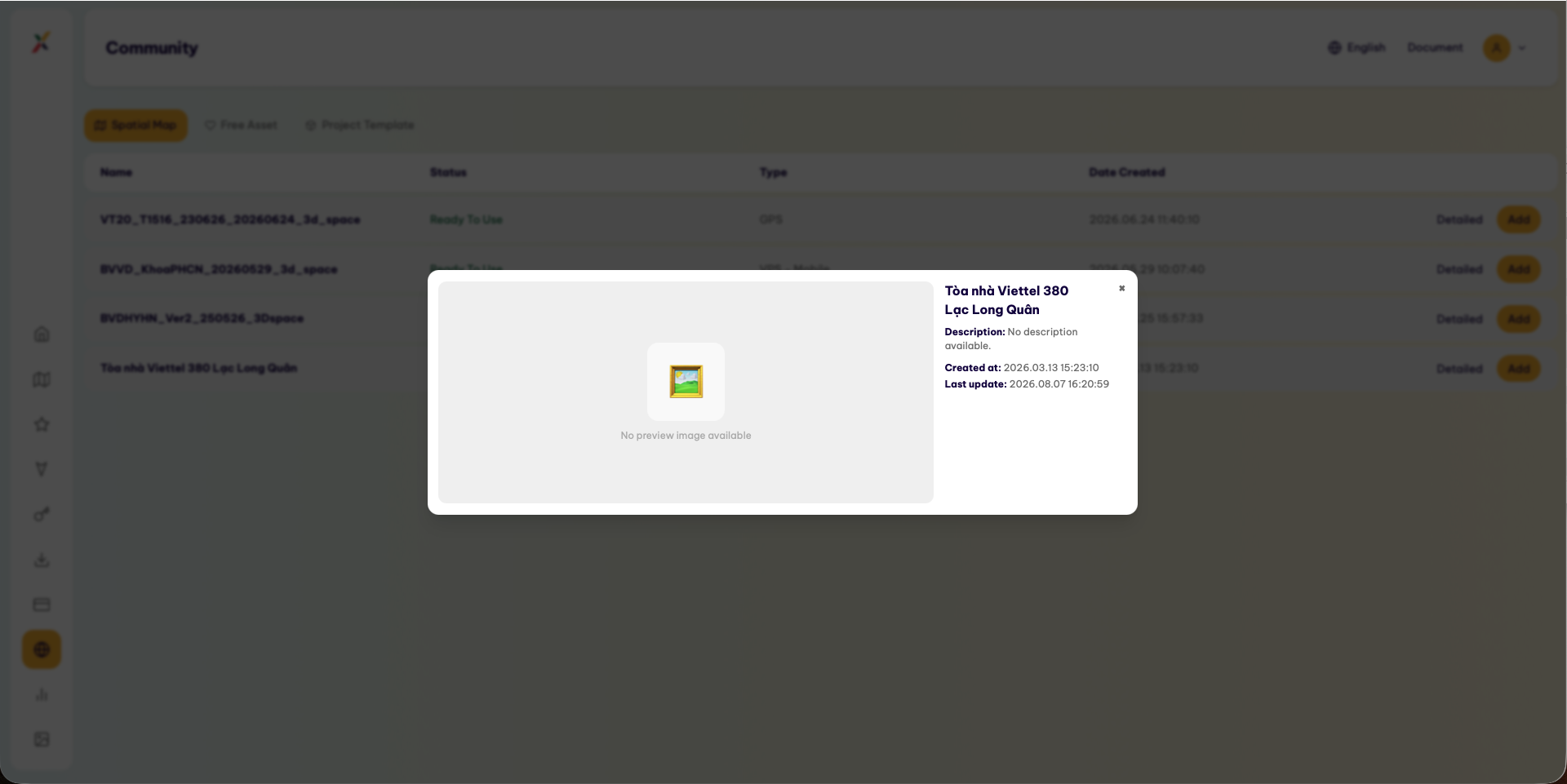
Click the map card you are interested in.
The system opens the map details interface, including:
- Space Name
- Coverage Area
- Data Status
- Thumbnail Image
Step 3: Perform the Clone
After selecting a suitable map, follow these steps:
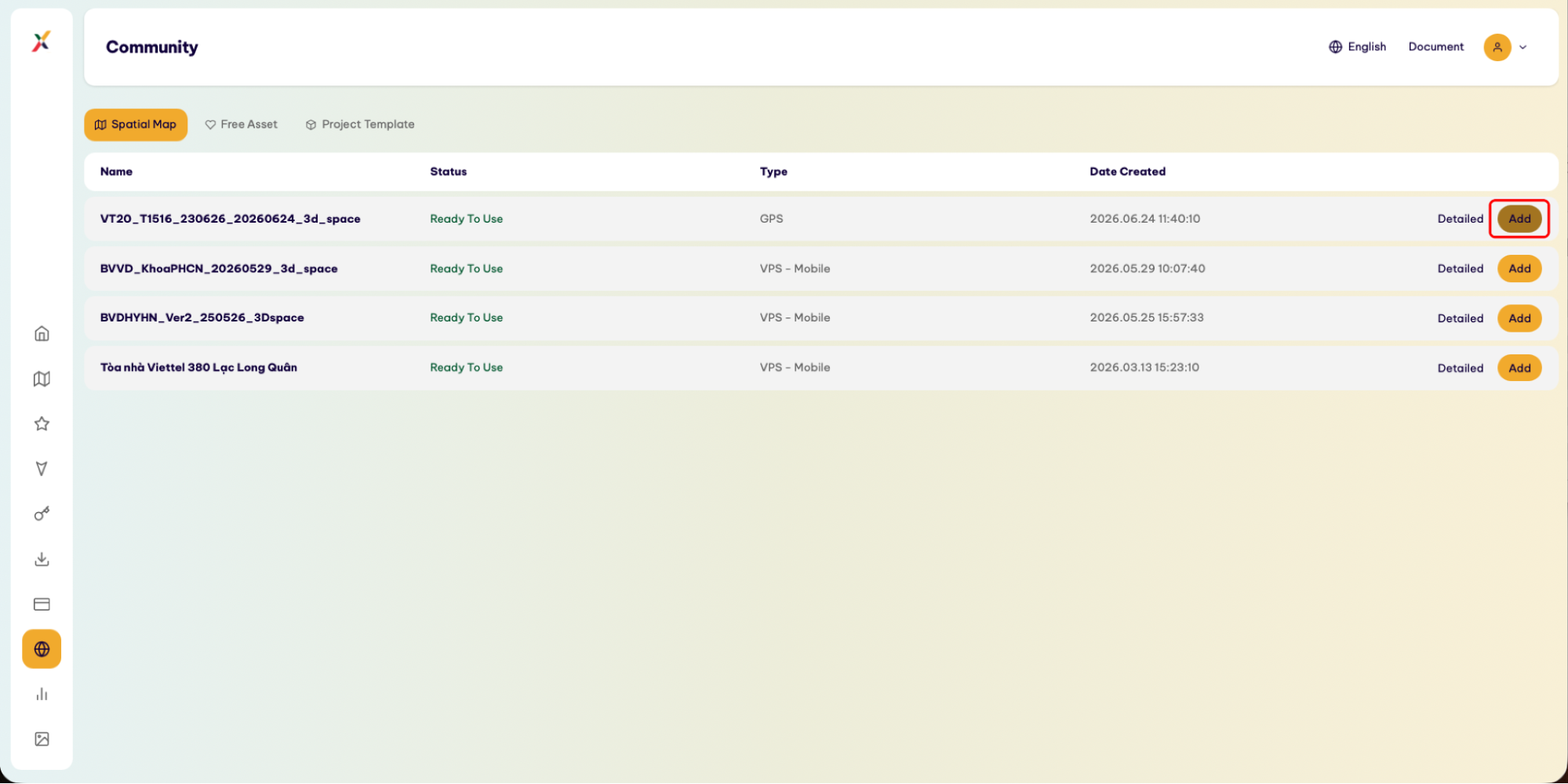
1. Add the Map to Your Personal Library
On the map details page, click Add to My Space.
2. Confirm Adding the Map
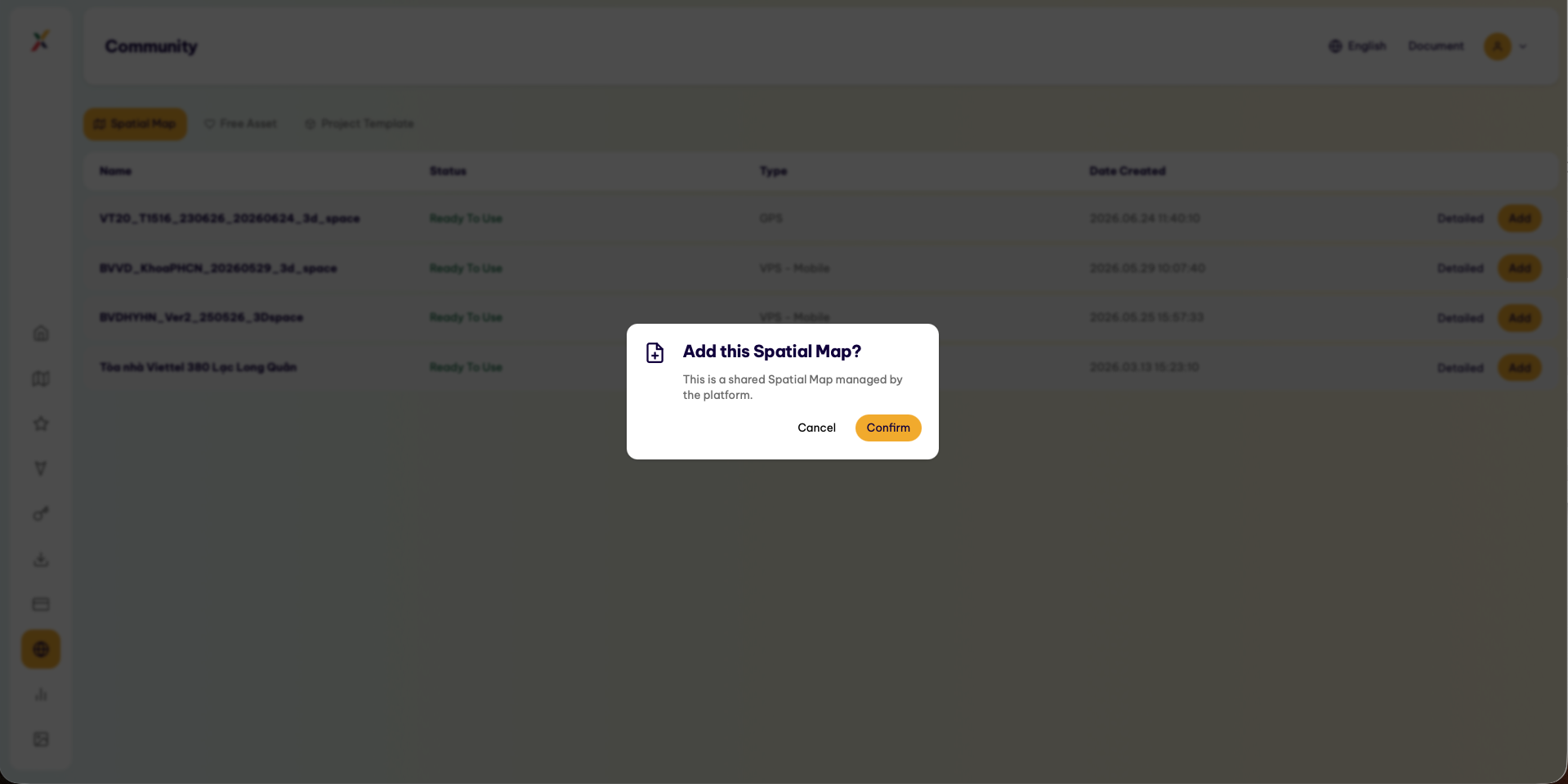
The system displays a confirmation dialog for adding the data.
Click Confirm to continue.
3. Complete the Clone Process
The system links the map to the account’s library.
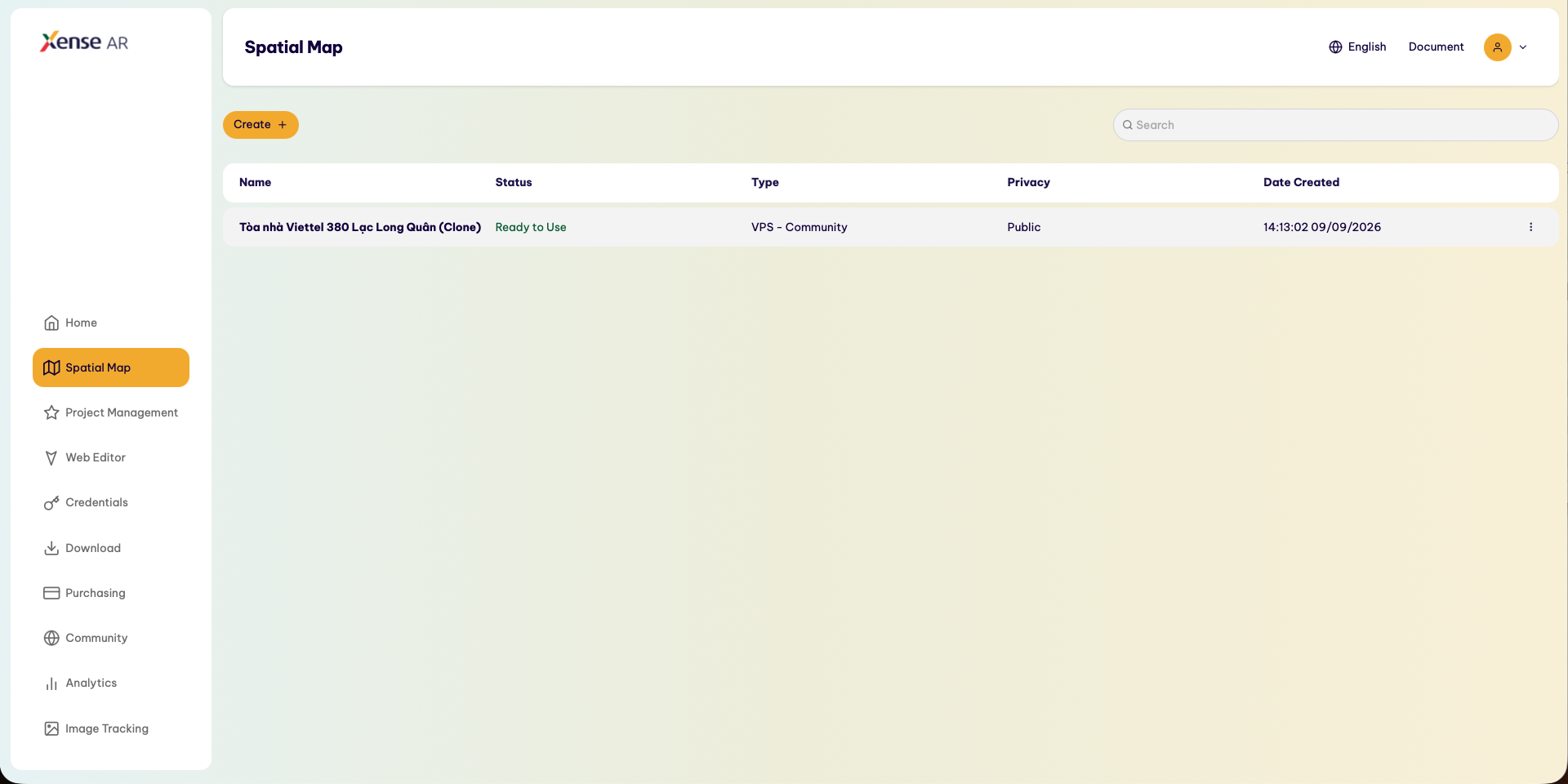
After the process is completed successfully, the system automatically redirects the user to the Spatial Map tab.
III. CHECK THE MAP AFTER CLONING
After being redirected to Spatial Map, users can check the cloned map in their personal library.
Check the following key map information:
- Map Name
- Map Type
- Area / Spatial Coverage
- Map Status
If the map appears in the Spatial Map list, the cloning process has been completed successfully.
Note: A map cloned from Community is linked to the personal account’s library, allowing the user to continue using it with the supported features of Xense AR.